[Seeking Help with Compilation · Work in Progress] Compilation Progress and Difficulties for The 21st Century Unabridged English-Chinese Dictionary — Full Index
The 21st Century Unabridged English-Chinese Dictionary has extremely comprehensive content, very accurate definitions, and a huge number of entries. It’s the best English-Chinese dictionary I’ve ever used — one that can meet even the most extreme vocabulary demands of the GRE and of obscure academic disciplines.
Below, I’d like to share some of the experience and difficulties I’ve had revising this dictionary, using the version that’s popular online as my base text. My main purpose here, though, is really to ask for help from the experts and fellow forum members.
Even if you’ve never revised this dictionary yourself, you might still pick up something from my successes and failures here — perhaps it’ll give you a bit of inspiration for editing other dictionaries.
0 Background
Before I began the revision, I posted a thread that was purely to ask for help, which recorded some of my initial thoughts and the reasons behind the revision. I also learned how to get started with editing from the comment section there. For details, see that thread: 21世纪大英汉词典 双向索引 427万词条
1 Project Links
- GitHub: GitHub - RaterChan/21-CUEC-Dict-Compilation: 21世纪大英汉词典编修的资源仓库 · GitHub (Due to GitHub’s restrictions, the original
.mdxfile is not included here) - Quark Netdisk: 夸克网盘分享
- Google Drive: https://drive.google.com/drive/folders/1pHXjgecYpFgd_oQarxEMiK76cJtK0RKu
Disclaimer: All the code was written using Google Gemini (Pro), but it acts like Doubao of the U.S., I really recommend you to use Claude by Anthropic or ChatGPT by OpenAI. I can read and understand some code myself, but I can’t write it from scratch. It’s completely normal (at least for Gemini) for AI-written code to carry a bit of chuunibyou flair (those overly dramatic, self-important touches) here and there. Every code file also comes with its own detailed, complete explanations and comments — and those are written plainly, with no chuunibyou flair at all, so feel free to read them without worry.
2 Materials and Tools Used
2.1 Dictionary: The 21st Century Unabridged English-Chinese Dictionary
English name: The 21st Century Unabridged English-Chinese Dictionary. The author of the .mdx file is unknown, and its version is likewise unknown.
I’ve already included it in my project — the project links above contain the .mdx file (except for the GitHub link).
I obtained it from here: https://cloud.freemdict.com/index.php/s/pgKcDcbSDTCzXCs?dir=/ENGLISH/Eng-Chi/21st%20Century%20Dictionaries
2.2 Python (IDE + Interpreter)
- Anaconda: Download Success | Anaconda
- PyCharm (PyCharm: The only Python IDE you need) or MS VS Code (https://code.visualstudio.com/)
2.3 Python Library: MDTT
- English: mdtta · PyPI
- Chinese: mdtt/README-zh.md at master · libukai/mdtt · GitHub
2.4 Database Software: DB Browser for SQLite
Download link: Downloads - DB Browser for SQLite
2.5 Online HTML Parser (Supplementary Tool)
3 Basic Information About the Dictionary
3.1 Overview and Key Characteristics
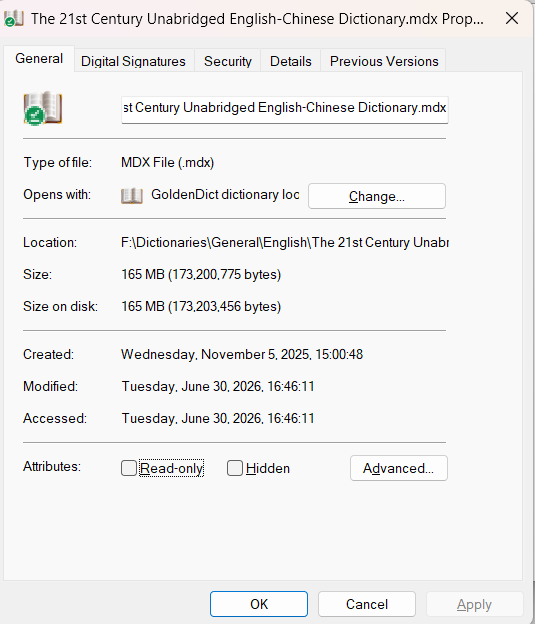
After the second-step deduplication, the basic statistics (basic info.txt) are as follows:
There are 4,057,426 rows in total, of which:
- Entries whose value is a redirect — i.e., those beginning with “
@@@LINK=” — number2,920,731rows, or71.98%of the total - There are
3,138,401standalone/independent headwords, or77.35%of the total - Entries whose value is HTML number
1,136,695rows, or28.02%of the total, of which:- 3.1 Those beginning with
<link rel="stylesheet" href="《21世纪大英汉词典》.css"/>number652,990rows - 3.2 Those beginning with
<link href="《21世纪大英汉词典》.css" rel="stylesheet" type="text/css"/>number483,705rows
- 3.1 Those beginning with
3.2 Data Examples
Omitted. The data is simply too complex and messy — rather than reading examples I’ve written up, you’re better off opening the database yourself alongside the query code and spending about 10 minutes looking through it, or just following my steps below to unlock it piece by piece.
3.3 Overall Workflow
Original .mdx file —[unpacked with MDTT]—> .db file —[deduplicated with DB Browser]—> .db file —[eliminate redirect links, to avoid creating dead links during editing]—> .db file —[clean up garbled characters, mainly “/”]—> .db file —[clean up low-frequency key names]—> .db file —[semantic-level deduplication, eliminating duplicate definitions]—> .db file —[…]—> … —[…]—> .db file —[rebuild redirect links, to save storage space]—> .db file —[packed with MDTT]—> finished .mdx file
This is the sequence under ideal conditions. Each step varies in difficulty, and I haven’t strictly followed this order myself (see below for details) — for some steps, I honestly hadn’t even thought that far ahead.
4 The Compilation Process
4.1 Step One: Converting the .mdx File into a .db File
4.1.1 Unpacking
For details, see the Chinese README-zh.md and the discussion section of 21世纪大英汉词典 双向索引 427万词条.
4.1.2 Result
This produces two files:
The 21st Century Unabridged English-Chinese Dictionary.db(1433176 KB)The 21st Century Unabridged English-Chinese Dictionary.mdx.meta.toml(1 KB)
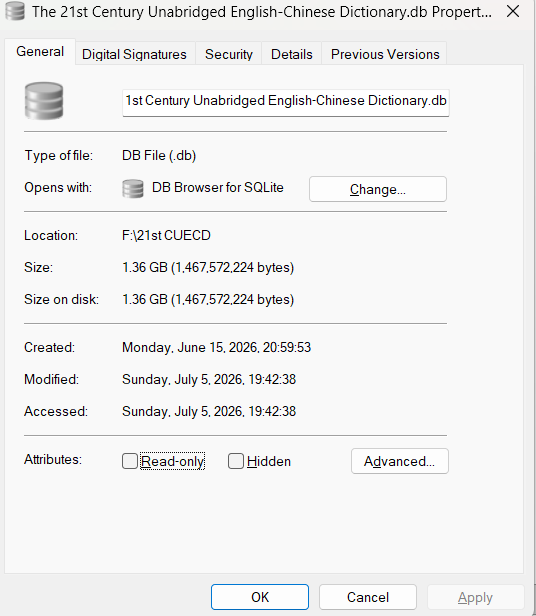
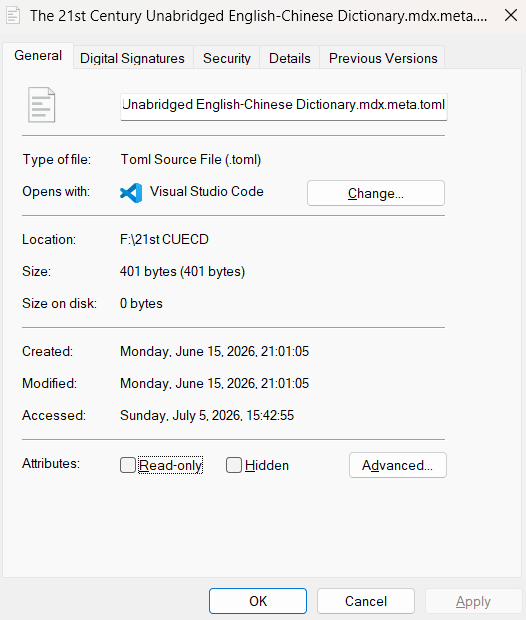
You can verify with DB Browser that the .db file now has 4,278,399 rows of records.
4.2 Step Two: Deduplication 1 (Eliminating Fully Identical Key-Value Pairs)
This step is fairly simple. Just open the .db file directly in DB Browser, click Execute SQL, and paste in the following code:
DELETE FROM mdx
WHERE rowid NOT IN (
    SELECT MIN(rowid)
    FROM mdx
    GROUP BY entry, `paraphrase`
);
Then press F5, and once it finishes running, click Write changes — that’s it.
After deduplication, the .db file has 4,057,426 records.
4.3 Step Three: Eliminating Redirect Links, “Flattening” the Database
4.3.1 Script Used: full_dict.py
4.3.2 The Problem
Using DB Browser, even a simple SQL query is enough to reveal that there are a great many garbled keys in here — for instance, keys packed full of “/” characters — and yet the normal, legitimate keys actually rely on these garbled keys as a relay point for lookups. For example:
The definition of “105号元素” (“Element 105”) is:
@@@LINK=105号元素-105/号/元素-【化学、物理学】105号元素 [亦作 element 105, hahnium]
— and it’s this latter one whose definition is the actual, real definition:
<link rel="stylesheet" href="《21世纪大英汉词典》.css"/><div class="ex-phrase"><div class="ref"><span class="see_label"></span><span class="main_entry"></span><a class="m" href="entry://unnilpentium">unnilpentium</a> <span class="phonetic">[,ju:nil'pentiəm]</span> </div><ul><li class="wordGroup"><span class="pos">n.</span><span class="def">【化学、物理学】105号元素 [亦作 element 105, hahnium]</span></li></ul></div>
This shows that if we mindlessly strip out garbled keys containing symbols like “/” — such as “105号元素-105/号/元素-【化学、物理学】105号元素 [亦作 element 105, hahnium]” — it would break the lookup chain described above, causing a search for “105号元素” to return an empty result.
4.3.3 Solution
From this we can see that what we need to do is “flatten” the database — that is, eliminate every redirect link, and pull each key’s final definition up into its own paraphrase column.
full_dict.py is exactly what carries out this function. Its specific inputs and outputs, comments, and a full breakdown of the code’s logic are all written out clearly and in detail inside the code file itself — just open it and you’ll see. For reasons of space, I won’t go through the code explanation here.
Note: doing this will cause the database’s size to explode, producing a new .db file of 4991492 KB. When you run full_dict.py, make sure to check whether the input/output filenames in the final main function match what you expect — the same applies below.
4.3.4 Output of This Step (Filenames May Vary)
full_dict_without_link.db(4991492 KB)mdx_cleaner_anomaly.log
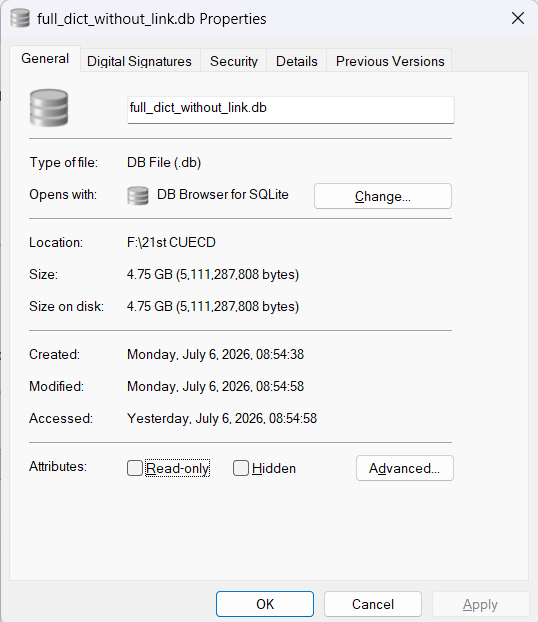
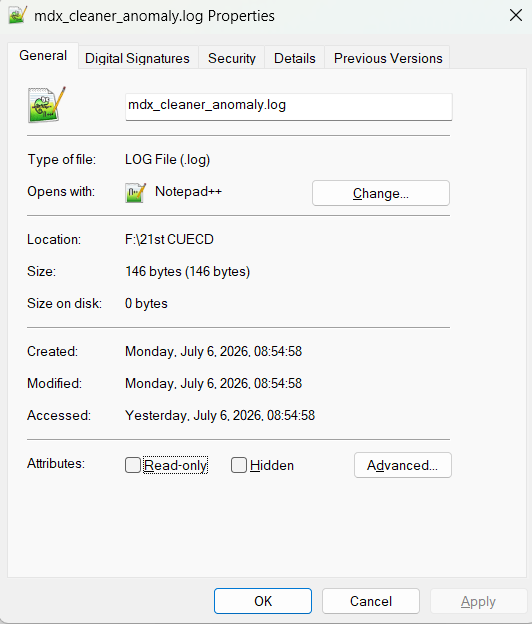
You can verify this by opening each file in its respective software: the .db file has 4,301,183 records, and the .log file has only 1 dead link, as shown below:
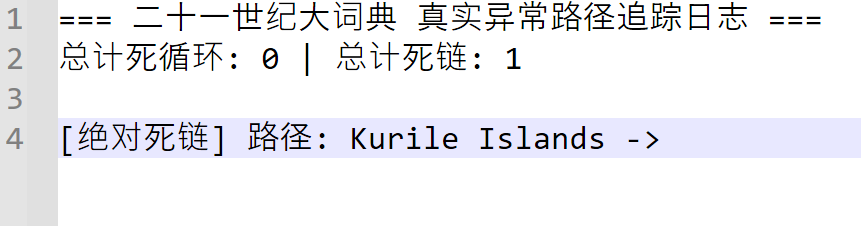
Verifying with DB Browser confirms that this is indeed the case.

4.4 Step Four: Deduplication 2 (Eliminating Sentence-Level Mutual Containment Among Multiple Values Under the Same Key)
4.4.1 Script Used: find_sub_set.py
4.4.2 The Problem
The single biggest problem with this .mdx file is duplication. Take this kind of duplication, for instance: search the database for the headword “不退让” (“won’t back down / hold one’s ground”), and you’ll see there are 10 records belonging to this headword.
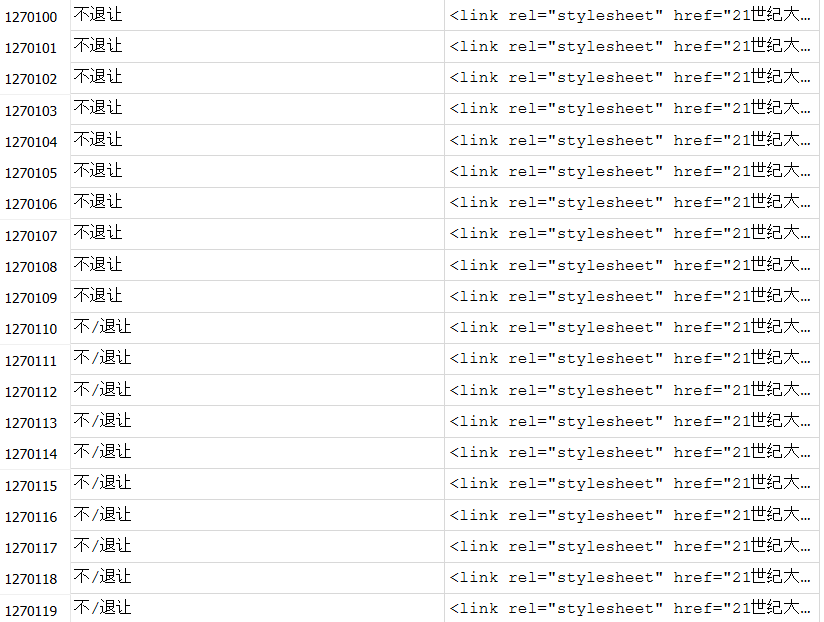
If your file is identical to mine, select the definition portions of the two records at row numbers 1270100 and 1270108:
1270100.
<link rel="stylesheet" href="《21世纪大英汉词典》.css"/><div class="ex-phrase"><div class="ref"><span class="see_label"></span><span class="main_entry"></span><a class="m" href="entry://hold one's own">hold one's own</a> </div><ul><li class="wordGroup"><span class="def">坚持自己的立场;坚守住,不退让</span></li></ul></div>
…
1270108.
<link rel="stylesheet" href="《21世纪大英汉词典》.css"/><div class="ex-phrase"><div class="ref"><span class="see_label"></span><span class="main_entry"></span><a class="m" href="entry://hold one's own">hold one's own</a> </div><ul><li class="wordGroup"><ul class="ol wordGroup"><li class="wordGroup"><span class="def">坚持自己的立场;坚守住,不退让</span></li><li class="wordGroup"><span class="def">可匹敌,敌得过</span></li><li class="wordGroup"><span class="def">保持力量,不衰退;维持原有健康状况</span></li></ul></li></ul></div>
…
(For reference: 1270100 defines “hold one’s own” simply as “hold one’s ground; stand firm, refuse to yield.” 1270108 gives three senses for the same headword: “hold one’s ground; stand firm, refuse to yield,” “be a match for, hold up against,” and “keep up one’s strength without flagging; maintain one’s original healthy condition.”)
Copy this and paste it into the online HTML parser (if you notice slight discrepancies, just select and copy the definition portions of all 10 records in a vertical block instead — the result will be the same) to view it. You’ll find that two of the definitions partially overlap, forming a subset relationship.
The online parser’s result:
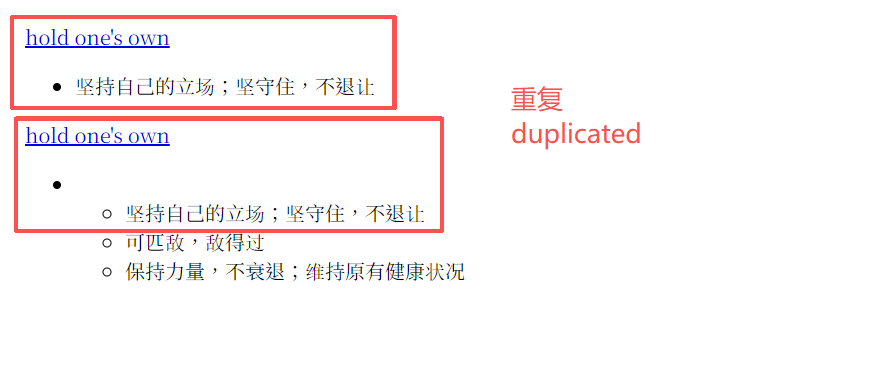
You can see that the definition at 1270100 is a subset of the definition at 1270108 — the former is identical to the first sub-definition of the latter, and the headword “hold one's own” is also exactly the same in both. This needs to be deduplicated.
4.4.3 Solution
The problem, though, is that the paraphrase column is HTML code — and because of how self-contained HTML markup is, even when the parsed content overlaps, the literal HTML source itself may not show a subset relationship. So we can’t just do direct character matching to find subset relationships. Instead, we first have to use a Python library called BeautifulSoup to parse this HTML code and extract the actual, human-readable text it renders, and only then can we judge whether a subset relationship exists.
find_sub_set.py implements exactly this function. Its specific inputs and outputs, comments, and a full breakdown of the code logic are all clearly and thoroughly written out in the code file itself — just open it to see them. For reasons of space, I won’t include the code explanation here.
Note: this step will generate a new .db file (4957676 KB), so keep an eye on your storage space.
4.4.4 Output of This Step (Filenames May Vary)
full_dict_semantic_cleaned.db(4957676 KB)semantic_killed_audit_1.csv(93534 KB)
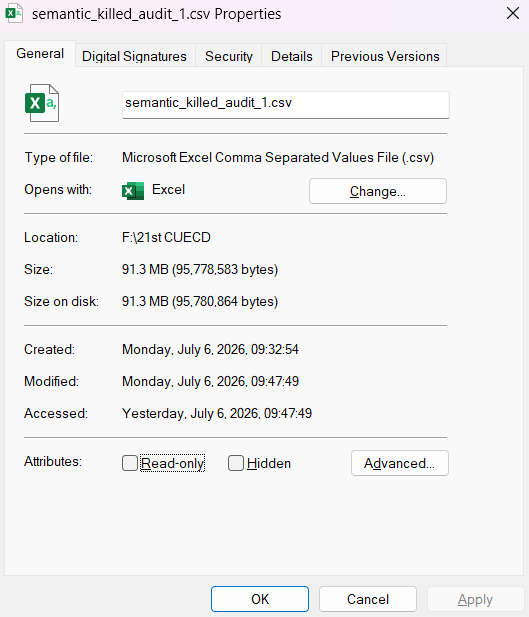
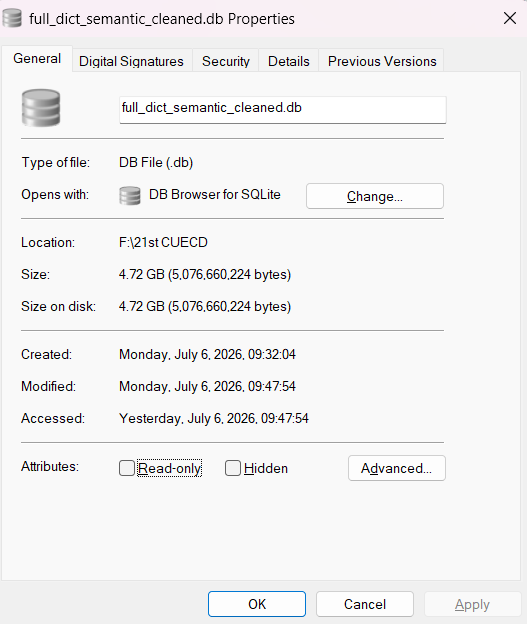
You can verify this by opening each file in its respective software: the .db file has 4,242,799 records, and the .csv file has 58,384 records (not counting the header row).
4.5 Step Five: Cleaning the “/” Character Out of Keys
4.5.1 Script Used: remove_slash_1.py
4.5.2 The Problem
The first time you open the .db file, you’ll probably already notice that, during the process of making this dictionary, far too many garbled keys were created — that is, a single Chinese or English sentence gets split into many pieces by “/” characters. This is likely junk left behind by some kind of faulty splitting code the original author used when building the index. For example:
1. 伦斯/劳伦斯/(/1901/~/1958/,/美国/物理/理学/学家/物理学/理学家/物理学家/,/1939/年/获/诺贝/贝尔/物理/理学/诺贝尔/物理学/诺贝尔物理学奖/)
2. 因此1-以那一点上-以/那/一点/上-以那(或这)一点上-以/那/(/或/这/)/一点/上
3. 派/人/看守/着
4. ...
(These roughly reconstruct to, respectively: “…–Lawrence (1901–1958, American physicist, awarded the 1939 Nobel Prize in Physics)”; “therefore” / “on that point” / “on that (or this) point”; and “posted someone to stand guard.”)
4.5.3 Solution
However, we can’t just delete all of these outright, or the reverse-lookup function would be lost entirely. So, in order to preserve reverse lookup, all we can do is “pan for gold in a pile of garbage” — trying, as much as possible, to first restore each one to its original form.
remove_slash_1.py implements exactly this function. Its specific inputs and outputs, comments, and a full breakdown of the code logic are all clearly and thoroughly written out in the code file itself — just open it to see them. For reasons of space, I won’t include the code explanation here.
Note: this step will generate a new .db file (3759720 KB), so keep an eye on your storage space.
4.5.4 Output of This Step (Filenames May Vary)
full_dict_slash_removed_1.db(3759720 KB)slash_removed_1_audit.csv(164408 KB)
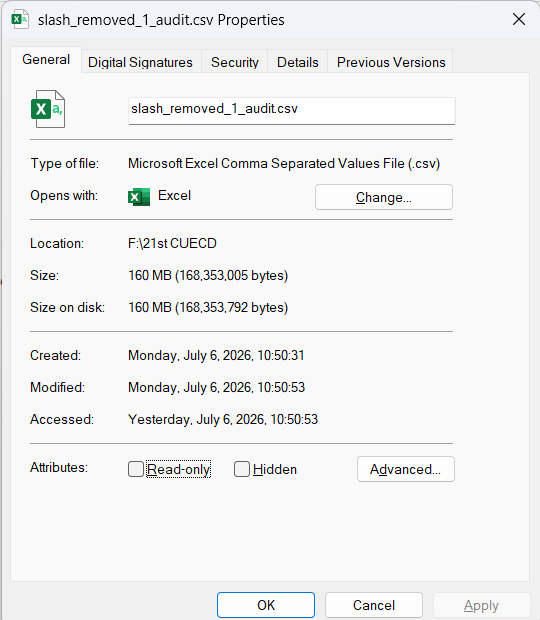
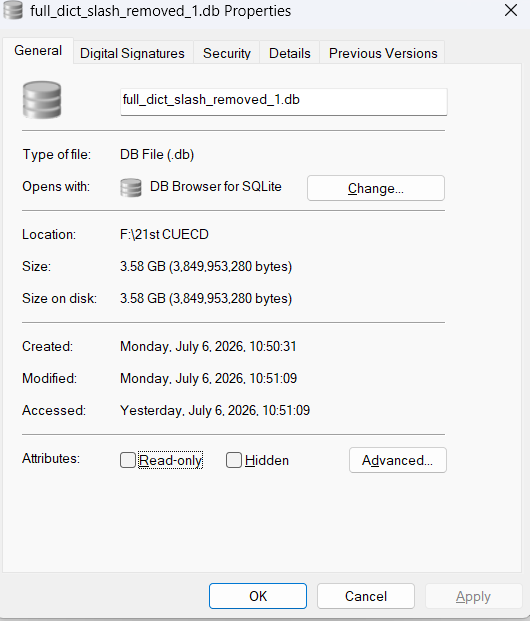
You can verify this by opening each file in its respective software: the .db file has 3,193,939 records, and the .csv file has 1,048,575 records (not counting the header row).
4.6 Step Six: Deduplication 3 (Eliminating Lexical-Level Mutual Containment Among Multiple Values Under the Same Key)
4.6.1 Scripts Used: 1. fragment_clean_preview.py; 2. fragment_clean_execute.py
4.6.2 The Problem
This step is really a legacy issue left over from Step Four. Since I hadn’t studied the patterns of duplication in this dictionary in any depth, and on top of that didn’t understand databases or Python programming all that well, I was pretty much lost throughout the whole back-and-forth with the AI — so at first, I didn’t notice the bugs or gaps in logic in the code the AI wrote.
But wait — didn’t we already deduplicate in Step Four? Yes and no. The program from Step Four had a flaw: the smallest unit it operated on was the sentence of text obtained after BeautifulSoup parsed the HTML code. This works fine when “the subset is the first item within the superset,” but if the subset instead corresponds to one of the later items within the superset, it won’t be matched at all.
That probably sounds pretty abstract — and it should, because I myself didn’t think it through this carefully at first either.
Let’s first go back and look at the kind of case the Step Four program CAN handle:
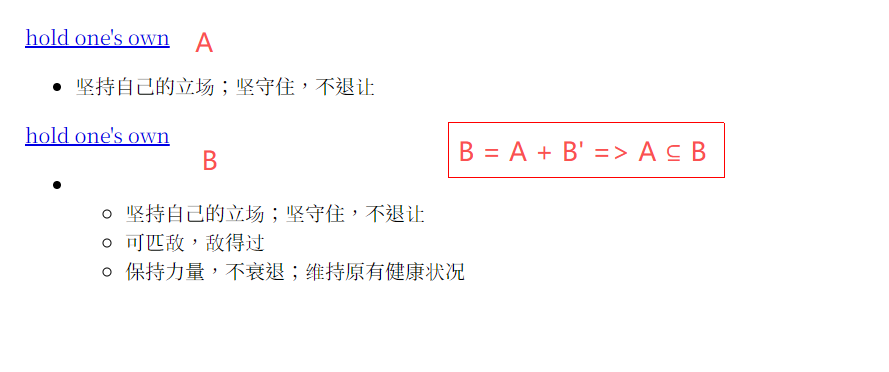
In find_sub_set.py, this gets parsed as:
1270100: {"hold one's own 坚持自己的立场;坚守住,不退让"}
…
1270108: {"hold one's own 坚持自己的立场; 坚守住,不退让 可匹敌,敌得过 保持力量,不衰退;维持原有健康状况"}
…
When comparing, the program checks these two strings against each other: is 1270100 a substring of 1270108? True. So 1270100 gets filtered out.
So under what circumstances does this program fail? Let’s look at another example.
Go directly to the database and find the entry “1/4平方英里土地” (“1/4 square mile of land”). It has two values, namely:
<link rel="stylesheet" href="《21世纪大英汉词典》.css"/><div class="ex-phrase"><div class="ref"><span class="see_label"></span><span class="main_entry"></span><a class="m" href="entry://quarter section">quarter section</a> <a class="m" href="entry://quarter sections">quarter sections</a> </div><ul><li class="wordGroup"><ul class="ol wordGroup"><li class="wordGroup"><span class="def">[美国西部方言]四分之一平方英里的一块地</span></li><li class="wordGroup"><span class="def">1/4平方英里土地(合160英亩)</span></li></ul></li></ul></div>
<link rel="stylesheet" href="《21世纪大英汉词典》.css"/><div class="ex-phrase"><div class="ref"><span class="see_label"></span><span class="main_entry"></span><a class="m" href="entry://quarter section">quarter section</a> <a class="m" href="entry://quarter sections">quarter sections</a> </div><ul><li class="wordGroup"><span class="def">1/4平方英里土地(合160英亩)</span></li></ul></div>
(For reference: the first, longer definition gives two senses for “quarter section” / “quarter sections” — “[Western U.S. dialect] a plot of land a quarter of a square mile in size” and “1/4 square mile of land (equal to 160 acres).” The second, shorter definition gives only the second of these two senses.)
Select these two cells vertically with your mouse, copy them, and paste them into the online HTML parser (or, alternatively, just search directly for “1/4平方英里土地(合160英亩)” [“1/4 square mile of land (equal to 160 acres)”] in your dictionary software — the effect is the same). You’ll see that the second, shorter definition (the subset) — “1/4平方英里土地(合160英亩)” — is actually the second sub-definition within the first, longer definition (the superset).
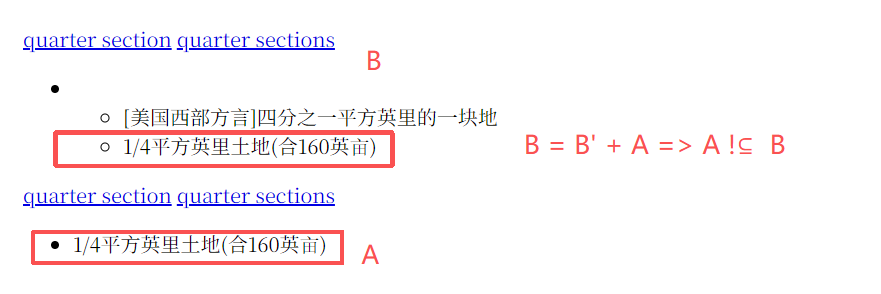
When BeautifulSoup, inside find_sub_set.py (the program used in Step Four), parses this HTML code, the result is:
- Subset (the short definition, the second record in the image above):
{quarter section quarter sections 1/4平方英里土地(合160英亩)} - Superset (the long definition, the first record in the image above):
{quarter section quarter sections [美国西部方言]四分之一平方英里的一块地 1/4平方英里土地(合160英亩)}
And this is exactly where the problem lies: because the superset has this partial clause — “[美国西部方言]...” [“[Western American dialect]…”] — inserted in the middle, the text that was originally contiguous in the subset ends up split apart. It’s a bit like asking: does “我是好人” (“I am a good person”) contain “我是人” (“I am a person”)?
find_sub_set.py (the program used in Step Four) relies on Python’s “if A in B” logic — and this logic’s answer to the question above is False. So find_sub_set.py simply cannot solve this problem.
4.6.3 Solution
From the above, we can see the problem is that the smallest unit find_sub_set.py operates on isn’t small enough. So the next step is to take the sentences obtained from BeautifulSoup’s HTML parsing and break them apart even further, turning them into sets like this:
- Set of the short definition (subset) =
{"quarter section", "quarter sections", "1/4平方英里土地(合160英亩)"} - Set of the long definition (superset) =
{"quarter section", "quarter sections", "[美国西部方言]四分之一平方英里的一块地", "1/4平方英里土地(合160英亩)"}
With this done, ordinary mathematical set operations can then find every place where duplication occurs. fragment_clean_preview.py and fragment_clean_execute.py implement exactly this function. Their specific inputs and outputs, comments, and a full breakdown of the code logic are all clearly and thoroughly written out in the code files themselves — just open them to see. For reasons of space, I won’t include the code explanation here.
In theory, fragment_clean_preview.py and fragment_clean_execute.py could have been used directly back in Step Four to resolve everything in one go — but I never tested that. I only ended up writing this step afterward, to patch up what I hadn’t done thoroughly enough earlier.
Note: this step produces two large new files — a new .db file (2404508 KB) and a new .csv file (4XXXXXX KB). Yes, you read that right — the log file ends up almost twice the size of the database file itself.
4.6.4 Output of This Step (Filenames May Vary)
full_dict_fragment_cleaned.db(2404508 KB)fragment_clean_execute_report.csv(4XXXXXX KB) — at this size, the file is already far beyond whatMicrosoft Excelcan handle. The most convenient approach is to open this file withDB Browser, import the data, and save it as a new database, which makes it much easier to open and inspect. If you take this approach, the resultingfragment_clean_execute_report.dbshould come out to4683792KB.
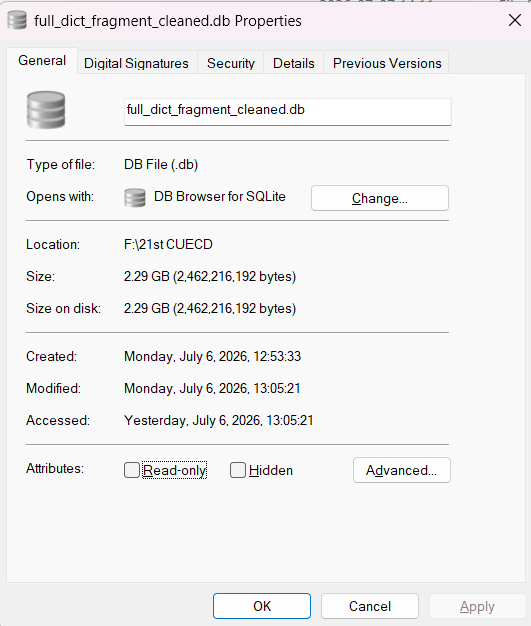
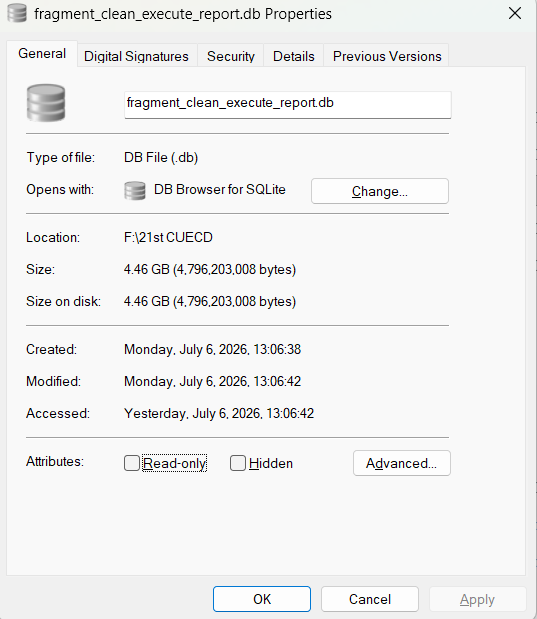
Opening both files above in DB Browser confirms: full_dict_fragment_cleaned.db has 2,982,142 records, and fragment_clean_execute_report.db has 211,816 records.
5 Summary
I’ve carried out an initial round of data cleaning and editing on The 21st Century Unabridged English-Chinese Dictionary — Full Index: removing entries that were completely identical, producing a redirect-link-free, fully expanded version of the dictionary as an intermediate product, and removing duplicate content wherever a subset relationship could be established from the text obtained by parsing the HTML code.
All of the work above took me roughly 5 hours in total, including the time spent reading through tool documentation like the MDTT docs, as well as the time spent writing prompts for and waiting on responses from the AI.
6 Current Status and Outstanding Issues
- The data is still very messy and “dirty.” Even though the “
/” characters within the garbled text have been removed, a great many key names — i.e., headwords — remain completely meaningless. For example:- 1.1.
'vjei(z)/ des frandres 【动物】佛兰德牧牛狗(产于比利时)[a garbled, truncated phonetic transcription fused with “[Zoology] Bouvier des Flandres, a Flemish cattle-herding dog (native to Belgium)”] - 1.2.
(15世纪希腊被土耳其占领后上山坚持斗争的)希腊游击队员游击队游击队员[“Greek guerrilla fighter guerrilla guerrilla fighter (who took to the mountains and kept fighting after Turkey occupied Greece in the 15th century)” — with the term repeated three times] - 1.3.
black lines designate boundaries on this map - 1.4.
love的变形-love的变形[“inflected form of love – inflected form of love,” duplicated] - 1.5.
low latin-low latin[亦作 l.l. ]-low latin[亦作 l.l. ][“low latin – low latin [also written l.l.] – low latin [also written l.l.],” duplicated, with stray spacing] - 1.6.
潺潺声-潺潺声-(流水)潺潺声-(流水)潺潺声[“murmuring/babbling sound – murmuring/babbling sound – (of flowing water) murmuring sound – (of flowing water) murmuring sound,” duplicated] - 1.7.
(a) hell on earth1 - 1.8.
= checkered lily-✘ = checker lily
- 1.1.
The current data still contains things like the truncated phonetic transcription and the phonetic slash “/” (distinct from “/”) seen in 1.1; keys this long are also essentially unusable for everyday lookups. There are also meaningless or incompletely split key names, such as the “-” in 1.4, where the key name itself contains pointless repetition. Then there are failed cases like 1.5, where a chunk was cut straight out of a dictionary definition and used as a reverse-lookup key — not only is it duplicated, it also has meaningless spaces inserted into it, breaking the original definition, and making it all but unusable. There are also cases like 1.7, where a phrase is followed by a number: in the database these are usually numbered consecutively, with at least one definition differing between them, and presumably nobody searches for a word with a number attached. And then there’s 1.8, where an equals sign “=” shows up, along with — of all things — some unfamiliar, X-like symbol, “✘” (U+2718), that I’d never even seen before.
- The data’s duplication rate is still very high. Even though set operations at the lexical/word level have already been applied to the text obtained after HTML parsing, the remaining data still has large-scale duplication — this really comes down to the nature of the data itself. Take the
1.7example above,(a) hell on earth1: if you look up this key in the database produced by the final step, it has three definitions. Select all three definitions vertically, copy them, and paste them into the online HTML parser to view:
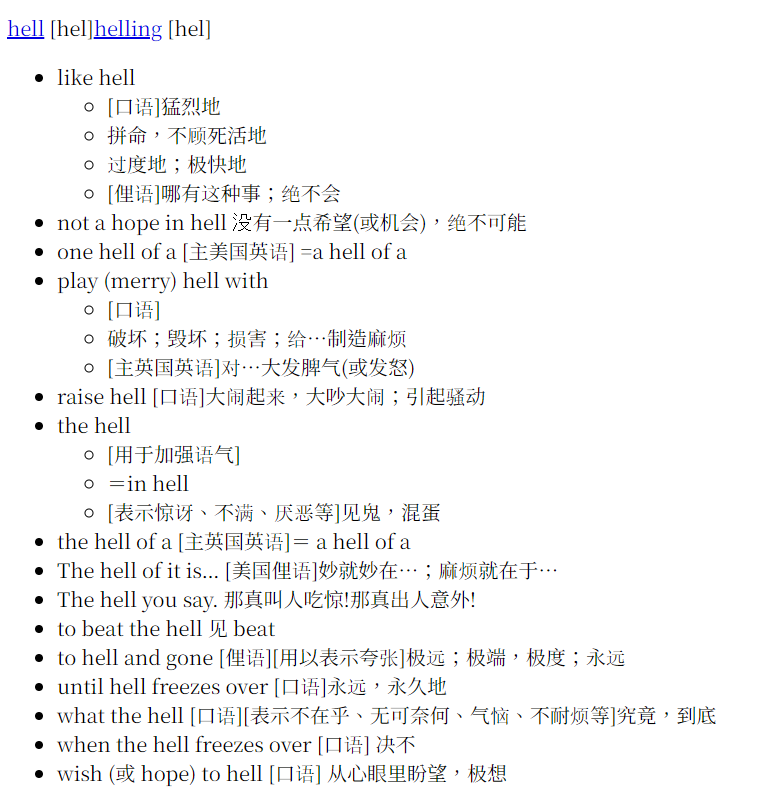

You’ll find two of the definitions there: one starting with “hell-like” and the other starting with “hell helling” — and the second is actually a subset of the first. But because their headwords differ, once split apart, one set becomes A {hell-like, ...} and the other becomes B {"hell helling", ...}. That means these two sets can never be recognized as having a subset relationship no matter what, so both of them get kept.
I still haven’t come up with any logically sound way to modify or merge this kind of duplication, let alone (get the AI to) code it up for me.
- The rare-character problem. Once you open the database produced by the final step, the entries near the front are almost uniformly written using HTML character notation — things like
𠳨,𣗥,𤆶,𤜷,𧐢,𧲬… These rare characters are actually𠳨,𣗥,𤆶,𤜷,𧐢,𧲬… The original author was apparently worried that some rare characters couldn’t be handled properly during compilation, so they represented them with HTML entity codes instead, letting the dictionary software render them on the fly at lookup time. There’s nothing wrong with this approach in principle — dictionary software really can render these rare characters on the fly when they appear inside a definition. But it’s essentially pointless when the same trick is used for a headword, since no one is ever going to type in a character code to look up a word.
There are roughly 149 records (including duplicates) where the key itself is HTML code like this, but there’s no telling how many times this kind of code shows up within definitions. Once we start fixing this, every instance where a rare character is represented by such a code will have to be converted to display the actual Chinese character directly — otherwise it risks breaking redirect links.
- Errors in the dictionary itself. For specifics, see: 21世纪大英汉词典【20250323发现巨大问题,请立即停用所有同名词典】 — it was actually only after seeing that thread that I discovered the version I’m using has errors in it. There are other errors as well, which can be found by searching the forum.
7 Seeking Help & Contact Information
There’s also a question weighing on me right now: does this project even have a future? Or, to put it more bluntly — would it be faster and less effort to take a newer, unindexed copy of The 21st Century Unabridged English-Chinese Dictionary and build a fresh index for it myself, rather than continuing to improve on this already-existing one?
Or, alternatively, might it be better not to build an index at all, and simply rely on the dictionary software’s “full-text search” feature instead?
The work described above took me 5 hours to do — if I wanted to turn back now, there’d still be time, since I haven’t sunk all that much time into it yet.
To sum up, I need help from you experts out there, and I’d also love to hear what my fellow forum members think. And of course, if any expert out there would be willing to take over and fork this project of mine, I’d be endlessly grateful.
How to reach me:
- Comments on this post — I check these regularly;
- Private messages on the forum — I check these regularly;
- Email: [email protected] or [email protected]