用 github 上的json文件生成了一个没有任何格式的mdx词典,它当然不美观,很简陋,但主要目的是预览查错用的,更完善的形式以后再说。
拉鲁斯法汉双解词典.mdx (5.5 MB)
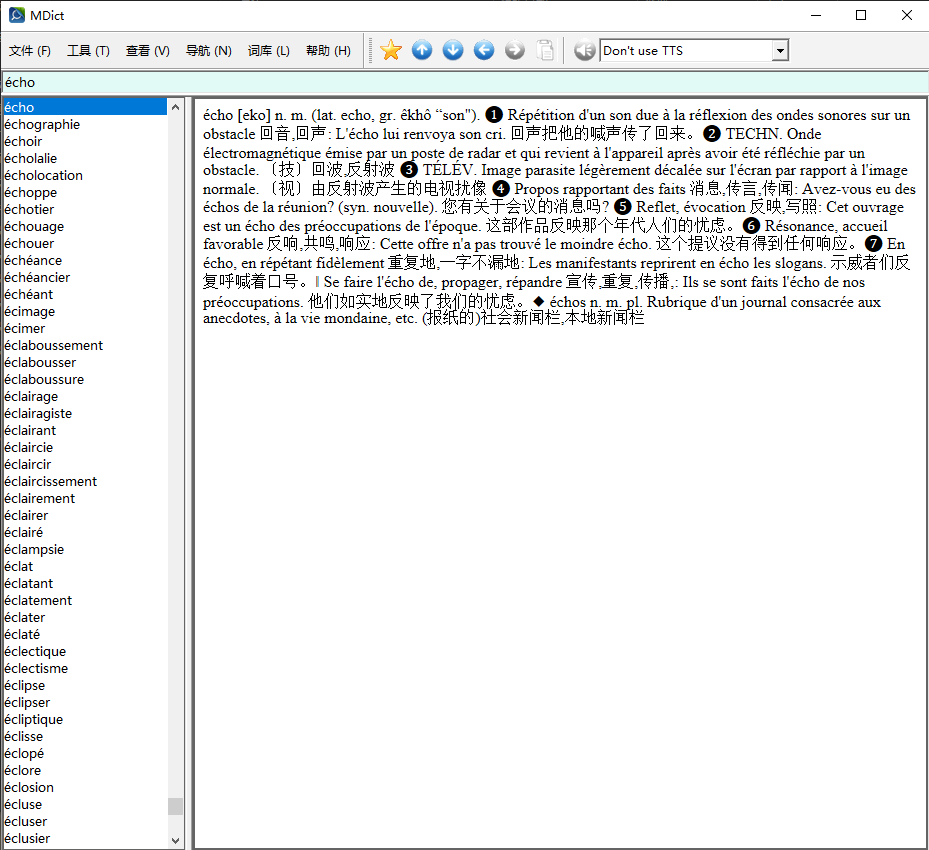
从 json 生成 mdx 源文件的的简单脚本也贴在这里,可以随时自己根据最新版的json制作预览版mdx。
import json

def create_mdx_source(input_json_path, output_txt_path):
    """
    将JSON文件转换为用于制作MDX词典的源文本文件。

    输出格式为:
    headword
    text
    </>

    参数:
    input_json_path (str): 输入的JSON文件路径。
    output_txt_path (str): 输出的MDX源文本文件路径。
    """
    try:
        with open(input_json_path, 'r', encoding='utf-8') as f:
            data = json.load(f)
    except FileNotFoundError:
        print(f"错误:找不到文件 '{input_json_path}'")
        return
    except json.JSONDecodeError:
        print(f"错误:文件 '{input_json_path}' 不是有效的JSON格式。")
        return

    # 打开输出文件准备写入
    with open(output_txt_path, 'w', encoding='utf-8') as f_out:
        # 遍历JSON数据中的每一个词条
        for entry in data:
            # 检查词条中是否包含'headword'和'text'键
            if 'headword' in entry and 'text' in entry:
                headword = entry['headword']
                text = entry['text']

                # 按照指定格式写入文件
                f_out.write(headword + '\n')
                f_out.write(text + '\n')
                f_out.write('</>\n')
            else:
                # 如果某个条目缺少关键信息,可以打印一个警告
                print(f"警告:跳过一个不完整的条目: {entry}")

    print(f"处理完成!MDX源文件已成功生成并保存到 '{output_txt_path}'。")

# --- 程序执行 ---
if __name__ == "__main__":
    # 设置输入和输出文件名
    input_file = '拉鲁斯法汉双解词典.json'           # 你的JSON文件名
    output_file = 'mdx_source.txt'     # 你希望生成的MDX源文件名

    create_mdx_source(input_file, output_file)