@小草大神 zsbd
Thanks
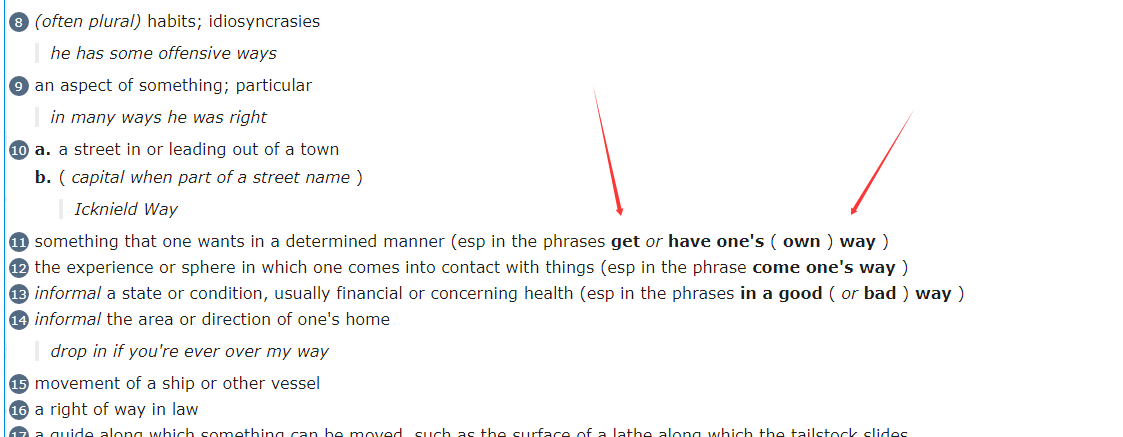
你继续 改 我看看 能不能 重新 提取词组
不标准 提取好麻烦
或者你看看 能不能提取下
2026.5.10 更新下 提取前面大神词典的 跳转
加入 AI 翻译 免费的 速度质量有点慢
css 套用 zgzzx10 的作品 修复单词黏结 问题
请更新 CSS JS MDX MDD
通过网盘分享的文件:
链接: 百度网盘 请输入提取码 提取码: ev81 复制这段内容后打开百度网盘手机App,操作更方便哦
dictionary2026.css (14.3 KB)
AIDIC.js.txt (45.6 KB)

背景实在太漂亮了!

I will have a look to see if it can be fixed. Thanks


any longer word than this, let me know so i can experiment and see it works with that too. Or logic needs to be changed.
pneumonoultramicroscopicsilicovolcanoconiosis
the longest word
pneumonoultramicroscopicsilicovolcanoconiosis.


That the longest word. And fixed applied successfully.
Enjoy.
Now the entry for the word “supercalifragilisticexpialidocious” (or other long words respectively) can wrap around on my smartphone.
Thank you very much for your effort!
我自己试用了一下已解决方案的文件,发现没有暗黑模式,所以把dictionary2026.css丢给ai让他写了一个暗黑模式,由于配色不太满意我就不发了,自己丢给ai让他写就行。光发一下对于 没接触过编辑词典的普通人 来说这里的注意点
背景会有一个up.png和down.png,这两个文件是存在于 ‘Dictionary2026.1.mdd’ 和 'Dictionary2026.mdd’里面的,如果想要去除,首先需要
- 安装python 不会的话问ai,然后打开系统内的终端(我只能确认下面的命令能在Windows系统上正确运行)
- 安装解包工具
pip install mdict-utils
- 解包两个mdd文件,如果这个指令报错的话依旧问ai
mdict -a output_folder Dictionary2026.1.mdd
mdict -x Dictionary2026.mdd -d output_folder2
- 用各种方法制作一个1x1的透明png图片,我这里用的python,当然你也可以制作这两个花纹文件的暗色版塞回去
python -c "
import struct, zlib

def make_1x1_transparent_png(path):
    sig = b'\x89PNG\r\n\x1a\n'
    ihdr_data = struct.pack('>IIBBBBB', 1, 1, 8, 6, 0, 0, 0)
    ihdr = b'IHDR' + ihdr_data
    ihdr_chunk = struct.pack('>I', 13) + ihdr + struct.pack('>I', zlib.crc32(ihdr) & 0xffffffff)
    raw = b'\x00\x00\x00\x00\x00'
    idat_data = zlib.compress(raw)
    idat = b'IDAT' + idat_data
    idat_chunk = struct.pack('>I', len(idat_data)) + idat + struct.pack('>I', zlib.crc32(idat) & 0xffffffff)
    iend = struct.pack('>I', 0) + b'IEND' + struct.pack('>I', zlib.crc32(b'IEND') & 0xffffffff)
    with open(path, 'wb') as f:
        f.write(sig + ihdr_chunk + idat_chunk + iend)

make_1x1_transparent_png('down.png')
make_1x1_transparent_png('up.png')
print('done')
"
- 把这俩图片替换到解包出来的文件夹/images/ 替换原文件,注意俩文件夹都有这俩图片
- 用指令打包回去,我试了一下打包不会覆盖目录内已经有的文件,所以推荐你把这俩文件夹放到别的地方打包,再把打包后的文件拷贝回去
mdict --pack output_folder -d Dictionary2026.1.mdd
mdict --pack output_folder2 -d Dictionary2026.mdd
多谢各位朋友的辛勤制作,很多新词和新解释方式,让我爱不释手。查belch这个词,对比了“mdx made by b*****du@pdawiki, Aug 2016 ”这个版本,发现本词典的释义和例子几乎完全重写了,而且新版本的更易理解例子更详细了。现在的问题是:
- 不需要AI辅助,所有感觉那个按钮特别多余;
- 那个背景太影响使用了,感觉很分心而且查看内容时感觉特别累!
谁能做个去除AI按钮和图片背景的版本?或者给个去除的方法,多谢了!
mdd 解开 删除 北京背景图片 删除AI 文件就行了 重新打包

