本地音频播放会拼接 dict_id 然后去 media.db 里面查找?
另外,easydict有没有调试模式?
本地音频播放会拼接 dict_id 然后去 media.db 里面查找?
另外,easydict有没有调试模式?
差不多是的
说的调试模式是哪种调试模式?
输出debug日志;像goldendict-ng等 右键 浏览器开发者模式;
设置-关于软件-配置目录,可以打开配置文件夹,里面的logs文件夹里有日志
此外还可以右键菜单-编辑,直接修改json并保存和实时显示
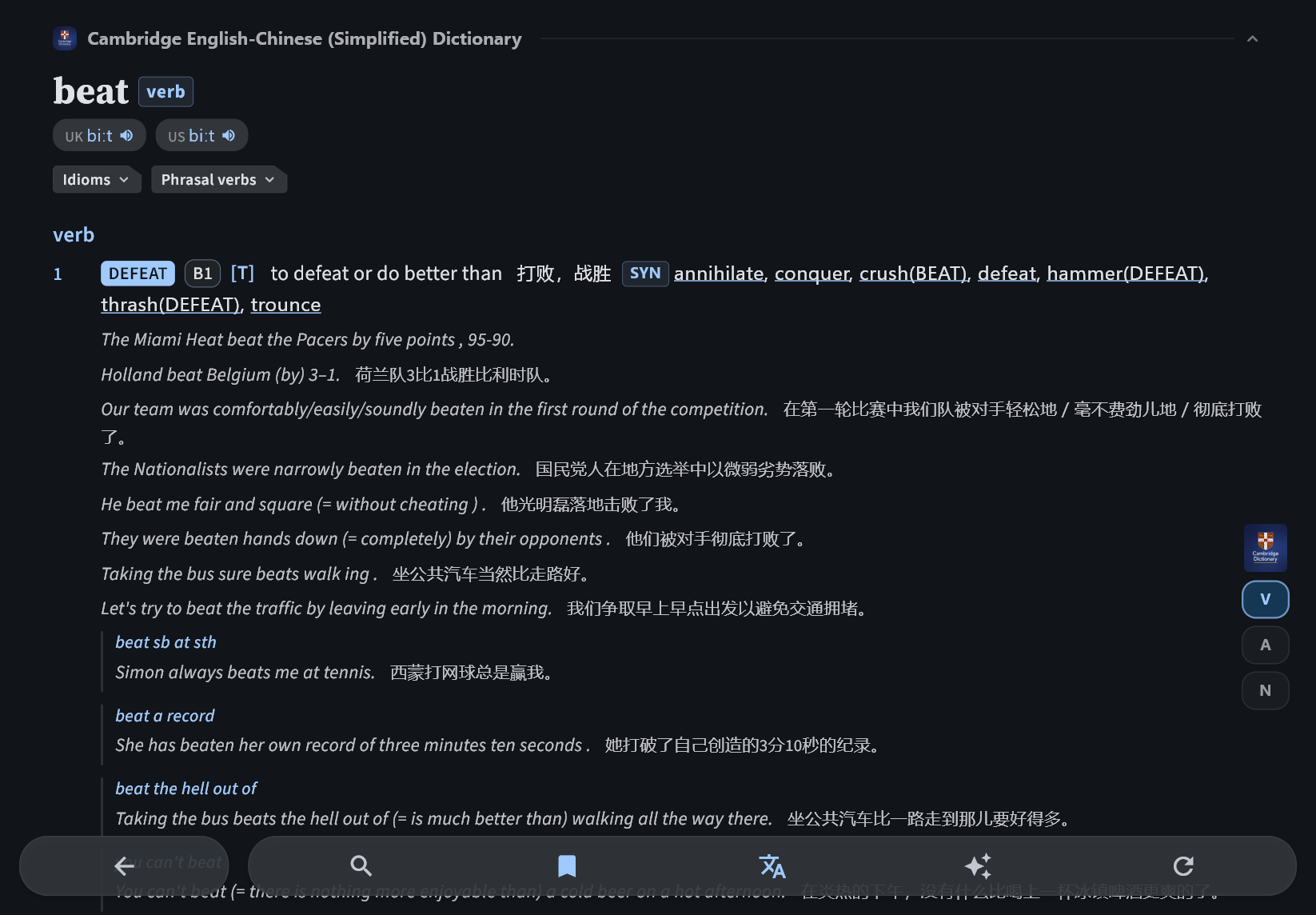
目前phrase的格式有点问题,无法正常显示。推荐把各个phrase单独提取成entry,然后在主词头的json里使用简单的字段"phrases": ["make certain/sure", "make someone/something do something"]即可
[
  {
    "phrase": "make certain/sure",
    "sense": [
      {
        "index": 1,
        "definition": {
          "en": "to take action so that you are certain that something happens , is true , etc.:"
        },
        "example": [
          {
            "en": "I'll just make sure I've turned the oven off.",
            "zh": "我要确认一下是否关掉了烤箱。"
          }
        ]
      }
    ]
  },
  {
    "phrase": "make someone/something do something",
    "sense": [
      {
        "index": 1,
        "definition": {
          "en": "to force someone or something to do something:"
        },
        "example": [
          {
            "en": "You can't make him go if he doesn't want to.",
            "zh": "如果他不想去,你不能强迫他去。"
          }
        ]
      }
    ]
  },
  {
    "phrase": "be made to do something",
    "sense": [
      {
        "index": 1,
        "definition": {
          "en": "to be forced to do something:"
        },
        "example": [
          {
            "en": "The prisoners are made to dig holes and fill them up again.",
            "zh": "囚犯们被强迫挖洞,然后再把它们填上。"
          }
        ]
      }
    ]
  },
  {
    "phrase": "make room/space/way",
    "sense": [
      {
        "index": 1,
        "definition": {
          "en": "If you make room / space /way for something or someone, you move your body or move other things, so that there is space for it or them:"
        },
        "example": [
          {
            "en": "I was wondering if I could make room for a grand piano somewhere in my house ."
          }
        ]
      }
    ]
  },
  {
    "phrase": "make a bed",
    "sense": [
      {
        "index": 1,
        "definition": {
          "en": "to pull up and tidy the covers on a bed after it has been slept in:"
        },
        "example": [
          {
            "en": "She hurried upstairs and quickly made the beds .",
            "zh": "她匆忙上楼,飞快地整理了床铺。"
          }
        ]
      }
    ]
  }
]
phrases字段不要放在data里,放在json根节点
Ai总结的一个流程,请指正 @karx
HTML 网页
    ↓ [1. 抓取]
原始数据 (JSON)
    ↓ [2. 清洗转换]
标准化数据 (JSONL)
    ↓ [3. 音频处理]
带音频的数据 (JSONL)
    ↓ [4. 构建数据库]
EasyDict 词典 (.db)
输入: 网页 URL + 单词列表
输出: entries.jsonl (每行一个 JSON entry)
核心任务:
重点:
难点:
输入: 原始抓取数据
输出: EasyDict 格式的 JSONL
核心任务:
结构重组:
原始格式 → EasyDict 格式
{                    {
  "definitions": []    "sense_group": [
}                        {"sense": [...]}
                       ]
                     }
字段映射:
definitions → sense_group.sensephrases → 独立 phrase entriesdict_id, entry_type短语处理:
phrases 数组entry_type="phrase"重点:
难点:
phrases 在顶层,不在 data 中)输入: entries.jsonl
输出: entries_fixed.jsonl + audio_urls.txt
核心任务:
_download_url 字段audio_file 字段重点:
难点:
输入: entries_fixed.jsonl + 音频文件(可选)
输出: dictionary.db + media.db + metadata.json
核心任务:
创建 SQLite 数据库表:
CREATE TABLE entries (
  entry_id INTEGER PRIMARY KEY,
  json_data BLOB  -- zstd 压缩的 JSON
)
JSON 压缩(可选):
音频处理:
创建索引:
重点:
难点:
{
  "dict_id": "cambridge_en_zh",
  "entry_id": 123,
  "headword": "make",
  "entry_type": "word",
  "phrases": ["make do", "make up"],  // ← 必须在顶层
  "pronunciation": [
    {
      "region": "UK",
      "notation": "meɪk",
      "audio_file": "make.mp3"
    }
  ],
  "sense_group": [
    {
      "group_name": "verb",
      "sense": [
        {
          "index": 1,
          "definition": {"en": "...", "zh": "..."},
          "example": [{"en": "...", "zh": "..."}]
        }
      ]
    }
  ]
}
{
  "dict_id": "cambridge_en_zh",
  "entry_id": 124,
  "headword": "make do",
  "entry_type": "phrase",  // ← 必须是 "phrase"
  "sense_group": [
    {
      "sense": [
        {
          "index": 1,
          "definition": {"en": "...", "zh": "..."}
        }
      ]
    }
  ]
}
| 难点 | 解决方案 |
|---|---|
| CSS 选择器变化 | 使用多个备选选择器,添加日志 |
| 反爬虫 | 完整模拟浏览器 headers,添加延迟 |
| 中文翻译混入例句 | 精确定位 .def-block > .def |
| 短语提取 | 独立的 .phrase-block 选择器 |
| 断点续传 | 保存 progress.json,记录已完成单词 |
| 难点 | 解决方案 |
|---|---|
| 字段位置错误 | phrases 必须在顶层,不在 data 中 |
| 嵌套结构 | 严格按照 EasyDict 格式:sense_group → sense |
| entry_id 冲突 | 使用全局计数器,断点续传时更新 |
| 短语关联 | 主词条 phrases 数组 + 独立 phrase entries |
| 音频字段 | audio_file 只保存文件名,URL 在 _download_url |
| 难点 | 解决方案 |
|---|---|
| entry_id 格式 | 必须是纯数字(不能有 dict_id 前缀) |
| JSON 压缩 | 使用 zstd + 字典,减小 90% 体积 |
| 索引创建 | headword + phonetic(表意文字) |
| 音频嵌入 | 复制到 audio_temp/ 或存入 media.db |
| 元数据 | metadata.json 必须包含 id, name, version 等 |
感觉总结这些没意义啊,readme.md本身已经很精炼了
确实readme已经写得很好了,这个算一点实践总结吧,个人的避坑指南
对了,在线音频是如何处理的?词头和例句的音频url放哪里?还是说只有词典服务器在线音频一个选择?
嗯是的,目前只有词典服务器一个在线音频选择
软件越来越完善了,感谢
更新1.7.5,更加适配电脑端,刚刚发现沙漠长出了火箭
试着转换了一个词典,CECD 2024-07-28,效果还行,尝尝鲜。
下载:CECD2024_EasyDict - FreeMdict Cloud
文件夹名须为 “CECD2024_EasyDict”,与metadata.json、dictionary.db里面的id保持一致。
数据来源:CECD 2024-07-28
赞!!!有意向上传到词典商店里嘛,这样可以方便下载、管理和更新
 还没纠错,音频也还没转换,等成熟一些了再传到词典商店,如何?